After removing Cisco AnyConnect on a Mac system, it is found that it cannot be reinstalled.
This is primarily because AnyConnect was treated as a regular Mac app and was directly deleted within the applications, leading to this issue.
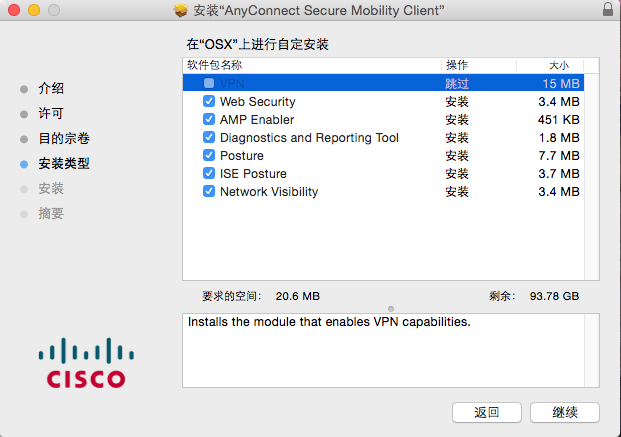
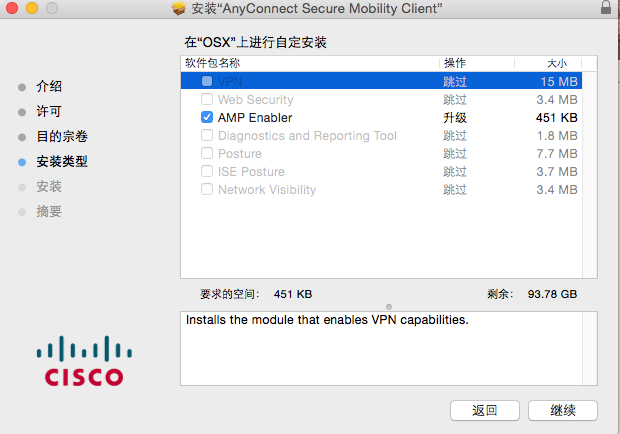
Solution:
Regardless of the circumstances leading to the inability to reinstall, the basic approach is to first execute the 'uninstall' file to thoroughly uninstall AnyConnect, and then reinstall it.
Situation 1: The 'uninstall' icon can be found.
Double-click the 'uninstall' icon, uninstall AnyConnect, and then proceed with a normal installation.
Situation 2: The 'uninstall' icon cannot be found.
This situation generally occurs when the entire Cisco directory has been deleted. In this case, you can copy the uninstall script from another Mac computer that has AnyConnect installed, and then execute the uninstall script.
The script is located at '/opt/cisco/anyconnect/bin'. In this directory, there are many uninstall scripts ending with '.sh'. Execute each script once.
During this process, it's necessary to elevate permissions first.
Execute the following commands:
sudo -s <- elevate to administrator rights
cd /opt/cisco/anyconnect/bin <- change directory to cisco anyconnect folder
./*uninstall.sh <- execute uninstall scripts, running each one of them
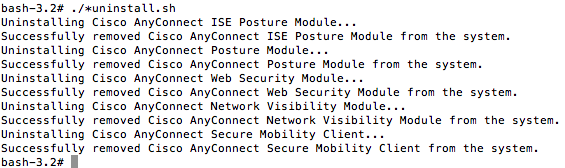
Or execute:
sudo pkgutil –forget com.cisco.pkg.anyconnect.vpn
Finally, you may proceed with the reinstallation.